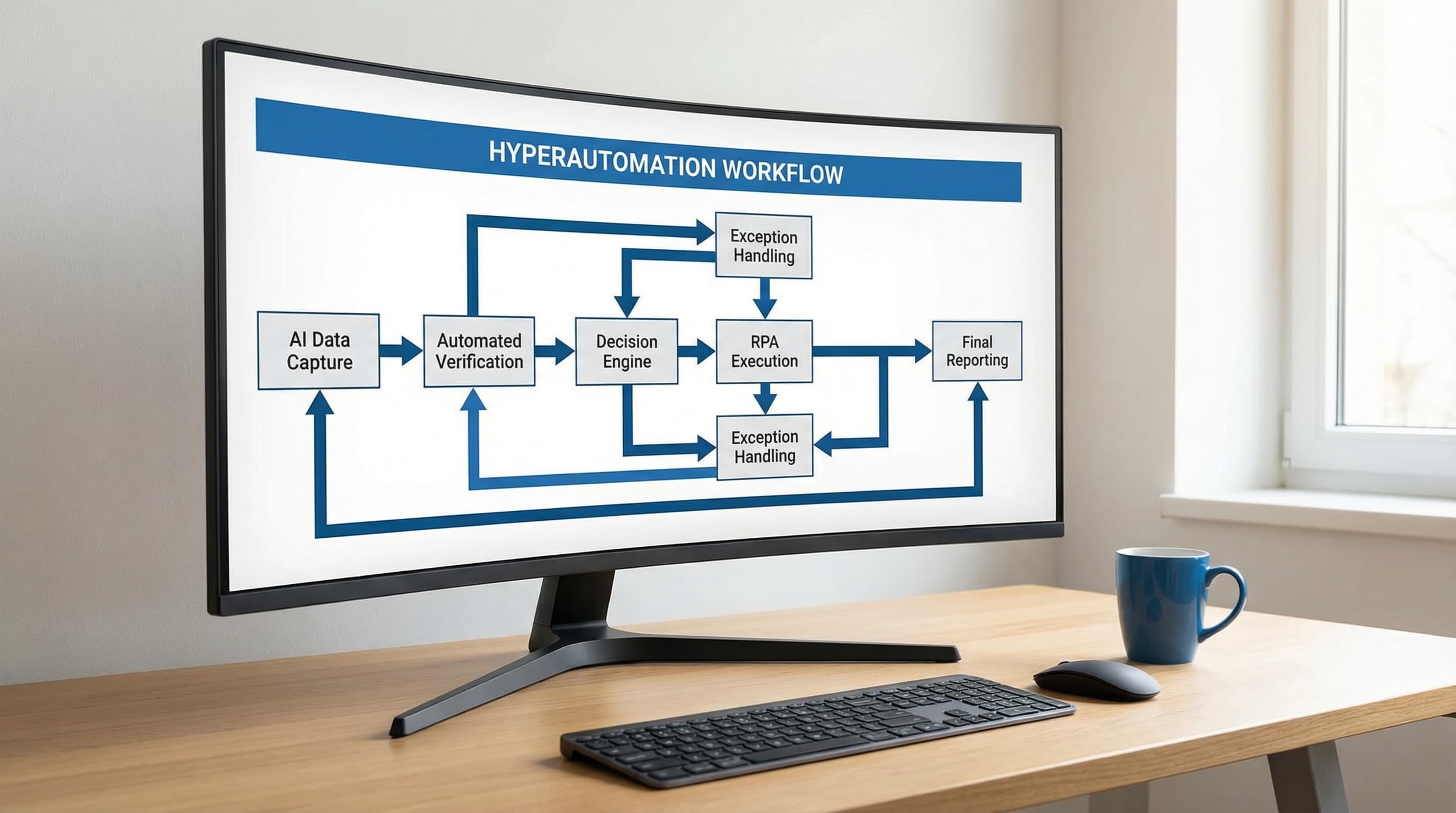
AI in Accounting: How to Automate Invoices, VAT & Reporting
 Erwin Berkouwer
Accounting is the most automated business process via AI. Yet 77% of SMEs still do it manually. This article shows what's possible, what it costs, and how to start tomorrow.
AI in accounting is no longer futuristic. Exact Online has launched an AI Assistant, AFAS automatically generates journal entries, and Moneybird reads invoices via OCR. Yet three-quarters of SMEs still do most of the bookkeeping by hand.
This article shows you what's possible, what it delivers, and how to get started tomorrow.
Why Accounting is the Perfect AI Starting Point
Accounting has three characteristics that make it ideal for automation:
- High volume, low variation. Processing invoices, matching bank statements, calculating VAT: thousands of transactions monthly that mostly follow the same pattern.
- Clear rules. Accounting rules are established by law and regulation. There's little interpretation needed, which makes it easier for AI than, say, sales conversations.
- Directly measurable impact. You can precisely measure how many hours you save and how many errors you prevent. No vague "it feels faster".
Statistic: According to the CBS AI Monitor, 17% of Dutch companies already use AI, with accounting and financial management being the primary application for 17% of that group.
What Can AI Concretely Automate?
Invoice Processing (Inbound)
This is by far the most popular application. Here's how it works:
| Step | Manual | With AI |
|---|---|---|
| Invoice received via email | Download attachment | Automatically captured |
| Data extraction | Manually type in | OCR + AI extraction |
| Choose ledger account | Select yourself | AI suggestion based on history |
| Book in system | Manual entry | Automatic booking |
| Flag discrepancies | Find out later | Real-time alert |
Result: An invoice that normally takes 5-8 minutes is processed in 30 seconds. At 200 invoices per month, you save 15-25 hours.
VAT Return Preparation
AI can automate the entire VAT return preparation:
- Automatically verifies that all invoices are correctly categorized (21%, 9%, 0%, exempt).
- Flags missing invoices by analyzing revenue patterns.
- Generates a draft VAT return that your accountant only needs to review.
- Detects common mistakes like incorrect VAT codes on EU transactions.
Bank Statement Reconciliation
One of the most time-consuming accounting tasks is matching bank statements with outstanding invoices. AI does this automatically:
- Matches payments to invoices based on amount, reference, and timing.
- Recognizes partial payments and groups them with the correct invoice.
- Flags unmatched transactions for manual handling.
- Learns from your corrections and becomes increasingly accurate.
Financial Reporting
AI generates reports not just faster, but also analyzes:
- Automatic monthly reports with prior-year comparison.
- Cash flow forecasts based on outstanding invoices and historical patterns.
- Variance analysis: alerts when a cost center significantly deviates from budget.
The Technical Architecture
How does AI accounting work technically? Most solutions use three layers:
Layer 1: Document Intelligence (OCR + NLP)
Invoices are read via Optical Character Recognition. Modern AI models don't just recognize text, they understand structure: which field is the amount, which is the VAT, who is the supplier.
Layer 2: Classification & Matching
Machine learning models categorize transactions based on historical patterns. After 50-100 manual corrections, the model typically achieves 95%+ accuracy.
Layer 3: Integration with Your Accounting Software
Via APIs, validated bookings are sent to Exact Online, AFAS, Moneybird, or e-Boekhouden. Most connections are bidirectional: the AI reads and writes.
Integrations with Dutch Software
| Software | AI Capabilities | Status |
|---|---|---|
| Exact Online | Exact AI Assistant (built-in), invoice recognition, smart closing | Available |
| AFAS | Automatic journal entries, payroll processing | Available |
| Moneybird | OCR invoice recognition, automatic categorization | Available |
| e-Boekhouden | Basic OCR, bank statement import | Limited |
| Twinfield | API connections for external AI tools | Via third parties |
Expert Tip: You don't have to choose between your accounting software's built-in AI and an external AI agent. They complement each other. Built-in AI does basic categorization, an external agent can handle more complex tasks like cross-system reconciliation and predictive analytics.
The ROI Calculation
Let's make it concrete for a typical SMB with 200 inbound invoices per month:
Current costs (manual):
- Invoice processing: 25 hours/month × €35/hour = €875
- VAT preparation: 8 hours/quarter × €50/hour = €400/quarter
- Reporting: 6 hours/month × €40/hour = €240
- Corrections & rework: 4 hours/month × €40/hour = €160
- Total per month: ~€1,375
Costs with AI:
- AI tool license: €200-400/month
- Remaining manual checks: 5 hours/month × €40/hour = €200
- Total per month: ~€500
Savings: €875/month = €10,500/year
The payback period for an implementation (typically €2,500-5,000 one-time) is 3-6 months.
How to Get Started Tomorrow
Step 1: Inventory Your Current Situation
Spend a week tracking how much time your team spends on:
- Entering invoices
- Matching bank statements
- VAT preparation
- Creating reports
Step 2: Choose Your Approach
Option A: Start with your package's built-in AI. Exact Online and AFAS already have AI functions. Turn them on and measure the difference.
Option B: Add an external AI agent. If built-in functionality isn't enough, an AI agent for invoice processing can handle more complex tasks.
Option C: Have a scan done. Not sure where the biggest gains are? A free AI scan analyzes your processes and shows where you'll see results fastest.
Step 3: Start Small
Start with one process (for example, inbound invoices). Measure results after 4 weeks. Then expand to VAT preparation and reporting.
Common Mistakes
- Wanting everything at once. Start with one process, not your entire accounting. A successful pilot builds confidence to expand.
- Not measuring the baseline. If you don't know how many hours it currently takes, you can't prove the savings. Measure first, automate then.
- Not involving your accountant. Your accountant needs to know AI bookings are happening. Discuss the workflow in advance.
- Ignoring data quality. AI works as well as your data. Make sure supplier data is correct and ledger accounts are consistent.
Conclusion
AI in accounting is no experiment anymore. The technology is mature, integrations with Dutch software exist, and the ROI is proven. The only thing missing is your decision to start.
The question is not if you'll automate your accounting, but when. And every month you wait costs you roughly €875 in manual work that an AI can take over.
Want to know where the biggest gain is in your situation? Start a free AI scan and receive a personalized report within 5 minutes.