MCP Server: What It Is and Why AI Agents Need It
 Erwin Berkouwer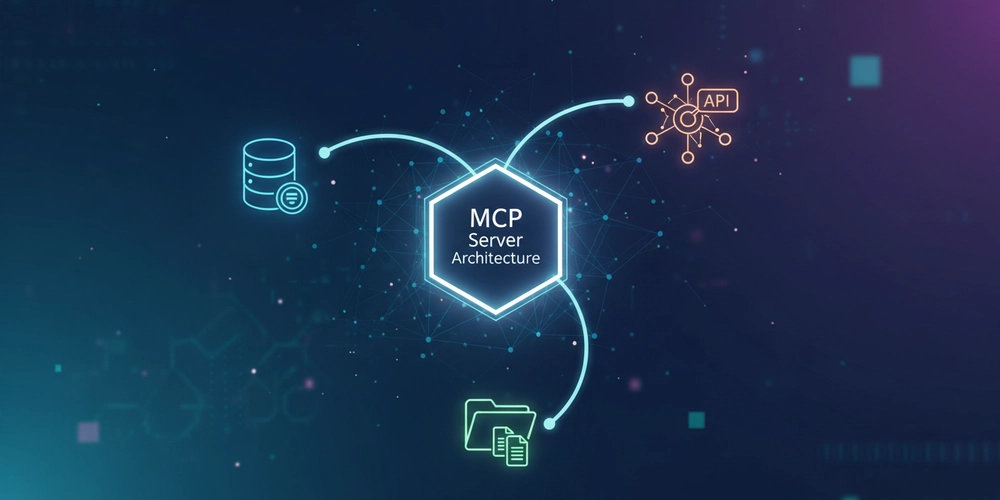
Discover what an MCP server is, how it works, and why it's becoming the standard for AI agent integrations. Includes implementation examples and architecture.
MCP Server: What It Is and Why AI Agents Need It
Companies that don't connect their AI tools to their own systems today will pay double tomorrow. Every AI agent you deploy without access to your CRM, your database, or your processes gives answers based on yesterday's data. Competitors who get this right now will have an AI advantage in six months that you can't catch up to with a contractor. MCP is the standard that makes this possible — and chances are you've never heard of it.
What is an MCP Server?
An MCP server (Model Context Protocol server) is an intermediary between an AI agent and your business systems. It's the technical "plug" that ensures an AI agent — like Claude, a chatbot, or an automated workflow — can talk directly to your CRM, database, accounting software, or internal tools.
Without MCP, an AI agent must work with loose API connections, and you need to build a separate connection for each combination of AI tool and system. With MCP, you build that connection once — and every AI agent you deploy thereafter can use it directly.
Simple analogy: USB-C is the universal plug that works with every laptop, phone, and charger. MCP does the same for AI and business software: one standard, usable everywhere.
The Problem MCP Solves
Suppose you want to deploy three AI applications (a customer service agent, a sales assistant, and a reporting tool) and you have four systems (CRM, ERP, email, and a database). Without MCP, that means 3 × 4 = 12 separate integrations that each must be built, maintained, and secured independently.
With MCP, you reduce this to 3 + 4 = 7 connections. Build one MCP server per system, and every AI agent works with it directly.
| Situation | Number of Integrations to Build |
|---|---|
| 3 AI tools + 4 systems without MCP | 12 integrations |
| 3 AI tools + 4 systems with MCP | 7 connections |
| 10 AI tools + 10 systems without MCP | 100 integrations |
| 10 AI tools + 10 systems with MCP | 20 connections |
For SMBs gradually adopting more AI, this is the difference between a manageable system and technical chaos.
How an MCP Server Works
An MCP server works in three steps:
- The AI agent asks something — "What is the status of order #4521 from customer Bakery De Jong?"
- The MCP server translates this to a search query in your systems and fetches the right data
- The AI agent receives the answer and gives the customer a clear, complete response in plain language
The employee or customer on the other end notices nothing about the technology. They simply get a fast, accurate answer — in plain language.
Expert tip: A well-configured MCP server doesn't have to be a huge IT project. Smaller MCP implementations for a specific use case are operational in 4 to 8 hours. A second integration thereafter typically takes 1 to 2 hours, because you reuse the same structure.
Why MCP Is Relevant for Your Business Now
Anthropic (the company behind Claude) introduced the Model Context Protocol in November 2024 as an open standard. In less than six months, more than 1,000 open-source connectors have been built for popular systems — for Salesforce, HubSpot, Google Drive, Slack, SAP, and dozens of other tools that SMBs use daily.
That pace means: the infrastructure for smart AI integrations is now available, even if you don't have a large IT team.
Three reasons why MCP is specifically interesting for SMBs:
- No vendor lock-in: You choose a different AI tool later — your MCP connections just keep working
- Build once, use many times: Your investment in a CRM integration pays off with every new AI application you add
- Centralized security: All access to your data goes through one point, with full control over who (or which AI) can see what
Concrete Benefits in Practice
| Benefit | What It Means for You |
|---|---|
| Less manual searching | AI agent searches CRM and ERP itself — employee gives answers in seconds |
| Faster onboarding | Deploy a new AI tool? Connect to existing MCP server and it works immediately |
| Lower AI costs | Fewer unnecessary API calls through smart caching — up to 70% less token usage |
| Better answers | Agent has context from your systems, not generic responses |
| Safe and auditable | Full audit log: which agent accessed which data when |
Real-World Examples for SMBs
Customer Service That Looks It Up Itself
A customer asks via chat: "When will my order arrive?" Your AI customer service agent queries via the MCP server directly into your ERP, sees the status, and gives a concrete answer — without an employee having to look anything up.
Result: Up to 40% less load on your customer service team for routine inquiries.
Sales Assistant with Current Customer Data
Your salesperson asks the AI assistant: "Which customers haven't bought anything in the last 6 months?" The assistant pulls this directly from the CRM and gives a priority list — including the best time to call based on previous contact history.
Result: Less time in spreadsheets, more time in conversations.
Finance Agent That Flags Discrepancies
An AI finance agent connects via MCP to your accounting software, compares invoices to bank statements, and sends an alert if something doesn't match — before it becomes a problem.
Result: Find errors earlier, less rework later.
MCP vs. Other Integrations: When to Use What
| MCP Server | Direct API Integration | Custom Integration | |
|---|---|---|---|
| Build Time | 4–8 hours | 2–5 days | 1–4 weeks |
| Reusable for Multiple AI Tools | Yes | No | Sometimes |
| Maintenance on System Update | Update once | Update per integration | Intensive |
| Suitable for SMBs | Yes | Limited | Only for high volume |
| Centralized Security | Yes | Dispersed | Depends on build |
When is a direct API integration better? If you're using only one AI tool for one specific task that won't grow. MCP really pays off when you deploy multiple AI applications — and that's the direction most SMBs are heading.
How to Get Started with MCP
You don't have to build this yourself. But it helps to understand the steps:
- Map your use case — What question must the AI answer? Which system contains that answer?
- Pick one system to start — Begin with your CRM or customer service tool
- Build or have built — There are ready-made MCP servers for most popular tools (Salesforce, HubSpot, Exact, Twinfield)
- Test with one AI agent — Connect your first agent and validate that the answers are correct
- Expand step by step — Every subsequent AI agent automatically benefits from existing connections
Realistic timeline: A working MCP connection for your CRM or customer service tool is operational within a day via an experienced partner. The first AI agent using it works immediately thereafter.
Further Reading
Want to understand how MCP servers fit into a broader AI architecture? Also read:
- From LLM to Agentic AI: The Complete 5-Layer Architecture
- Process Automation with AI: How to Do It (with Numbers)
- Why 70% of AI Implementations in SMBs Fail (and How You Avoid It)
Ready to Connect Your Systems to AI?
At Unify AI, we help SMBs set up AI agents that truly work with your own data — not generic answers. We build the MCP infrastructure, connect your systems, and ensure your team can get started right away.
[Schedule a free conversation →](/contact)
Frequently Asked Questions about MCP Servers
What is an MCP server in plain language?
An MCP server is the connection between an AI agent and your business systems. Thanks to this connection, an AI agent can fetch data directly from your CRM, ERP, or database, instead of just working with what the user types in. The result: the AI gives answers based on your current data, not general knowledge.
Do I need technical knowledge to use MCP?
No. As a user or entrepreneur, you only need to know what you want the AI to do. The technical implementation — building and connecting the MCP server — is handled by a partner like Unify AI. The end result is an AI assistant you can steer in plain language.
Does MCP only work with Claude, or with other AI tools too?
MCP is an open standard, not tied to one provider. Claude has native support, but ChatGPT, Gemini, and other AI tools can also work with MCP servers. That's the big advantage: if you switch AI tools later, you don't have to rebuild your MCP connections.
What does it cost to have an MCP server built?
A simple MCP connection for one system (like your CRM) typically costs between €500 and €2,000, depending on complexity. Keep in mind that this investment pays off with every new AI application you deploy thereafter — because those reuse the same connection.
Is my data safe if an AI agent accesses my systems via MCP?
Yes, provided it's set up correctly. The MCP server determines exactly which data the AI can see and which it cannot. You can set permissions per employee, department, or AI agent. All access is logged, so you always know who (or which AI) viewed what.