Connect WooCommerce to your accounting: how it works
 Erwin Berkouwer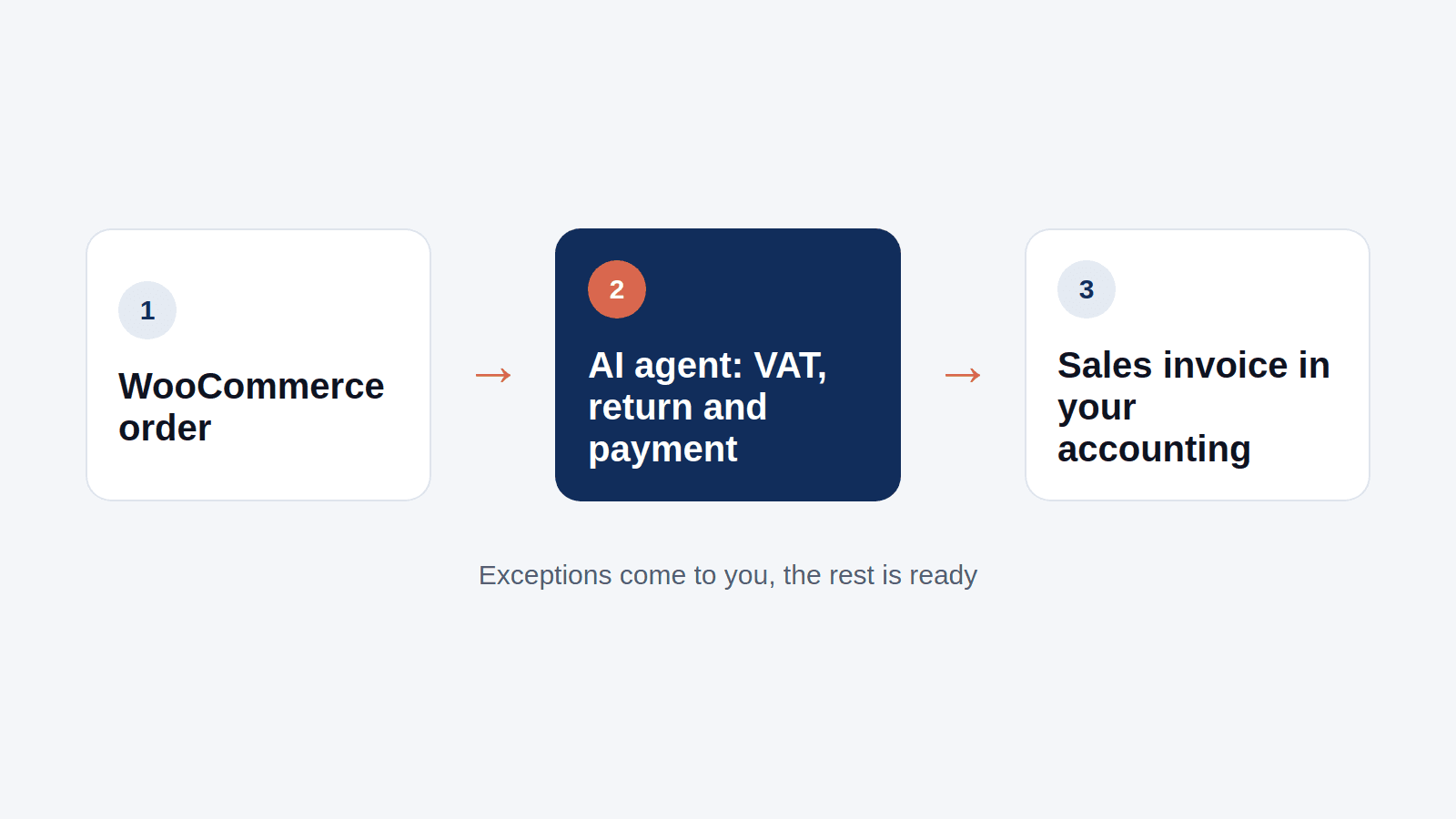
A growing webshop produces orders every day. And every order belongs in your accounting: as a sales invoice, with the right VAT rate, and later with the payment. Doing that by hand means retyping and making mistakes. The solution is a connection between WooCommerce and your accounting package.
What needs to go from WooCommerce to your accounting?
- Orders as sales invoices, with customer, products, amounts and VAT.
- Payments, so the invoice shows as paid in your accounting.
- Returns and credit notes, when a customer sends something back.
- Payment platform costs, such as the transaction fees of your payment provider.
Three ways to connect
- A plug-in or standard connector. For packages such as Exact Online, Moneybird and e-Boekhouden there are plug-ins that copy orders. Quick to set up and often enough for a simple webshop.
- Custom work through the API. WooCommerce has a REST API, and so do most accounting packages. A developer builds exactly the flow you want. Needed when your package has no plug-in or when you have your own rules.
- An AI agent in between. The agent uses the same official connections and takes over the sorting-out work a plug-in leaves.
Where it often goes wrong
A plug-in copies what is clean. The work is in the rest:
- a return that does not come back as a credit note;
- a different VAT rate, for example for a business customer in another EU country;
- a payment that does not match an order exactly, because the payment provider deducts its fees;
- a customer who already exists in your accounting, but is spelled slightly differently.
That is exactly the work an AI agent prepares: it recognises the exception, finds out what belongs to it and puts it to you or your accountant.
My accounting package is not listed
Do you use Multivers or another package without a plug-in? Then we check in the AI agent design which connection that package has and what the agent can do with it. You know before you pay anything.
What does it cost?
Your first AI agent costs €750 fixed, with at most two connections: WooCommerce and your accounting package. It is live within two weeks of the intake. Hosting and maintenance is from €50 per month per agent. More on the connection is on WooCommerce and AI.
How do you start?
Count how many orders you have a week and how many need manual work. That is your starting point for an AI agent design. The UnifyAI Agent makes it in a few minutes, with the steps, the connections and what you check.
Sources
- WooCommerce REST API documentation, WooCommerce
- Exact Online developer documentation, Exact
Frequently asked questions
Short, clear answers so you can decide faster.
How do I connect WooCommerce to my accounting?
With a plug-in for your package, custom work through the APIs of WooCommerce and your accounting package, or an AI agent in between that also handles the exceptions.
Do I need a custom API integration?
Only when there is no plug-in for your package or when you have your own rules. The official connections of WooCommerce and most accounting packages already exist.
Can I connect WooCommerce to Multivers?
Possibly. In the AI agent design we check which connection Multivers has and what the agent can do with it, before you pay anything.
What does a connection between WooCommerce and my accounting cost?
With a first AI agent €750 fixed, with at most two connections, live within two weeks of the intake. Hosting and maintenance is from €50 per month per agent.