AI for document processing and contract management
 Erwin Berkouwer
The problem: documents and contracts nobody tracks anymore
At most SMEs, there's a shared drive, a SharePoint folder, or an email inbox full of contracts, quotes, purchase orders and invoices somewhere. Nobody knows exactly which contracts are active, when they expire, or what notice period applies. Until a supplier silently renews a contract at higher rates, or a customer cites a clause nobody remembered.
Then there's the daily manual work: retyping invoices into the accounting system, comparing quotes, digging up contract terms for a new deal. It's repetitive, error-prone, and exactly the kind of work where AI document processing makes a difference.
What AI concretely does with documents
AI document processing (often called Intelligent Document Processing or IDP) does three things classic OCR software cannot:
- Understanding instead of just reading. Where classic OCR extracts text from a scan, an AI model understands the meaning: this is a supplier, this is the notice period, this is a liability clause.
- Handling variation in layout. Every supplier sends invoices and contracts in a different format. AI doesn't need per-template configuration like older extraction software.
- Answering questions about a document archive. Instead of manually searching hundreds of PDFs, you can ask "which contracts expire this quarter" and get an immediate list with source references.
Six concrete use cases
- Flagging contract expiry dates: automatic recognition of terms and notice periods across all active contracts, with a warning well ahead of the deadline.
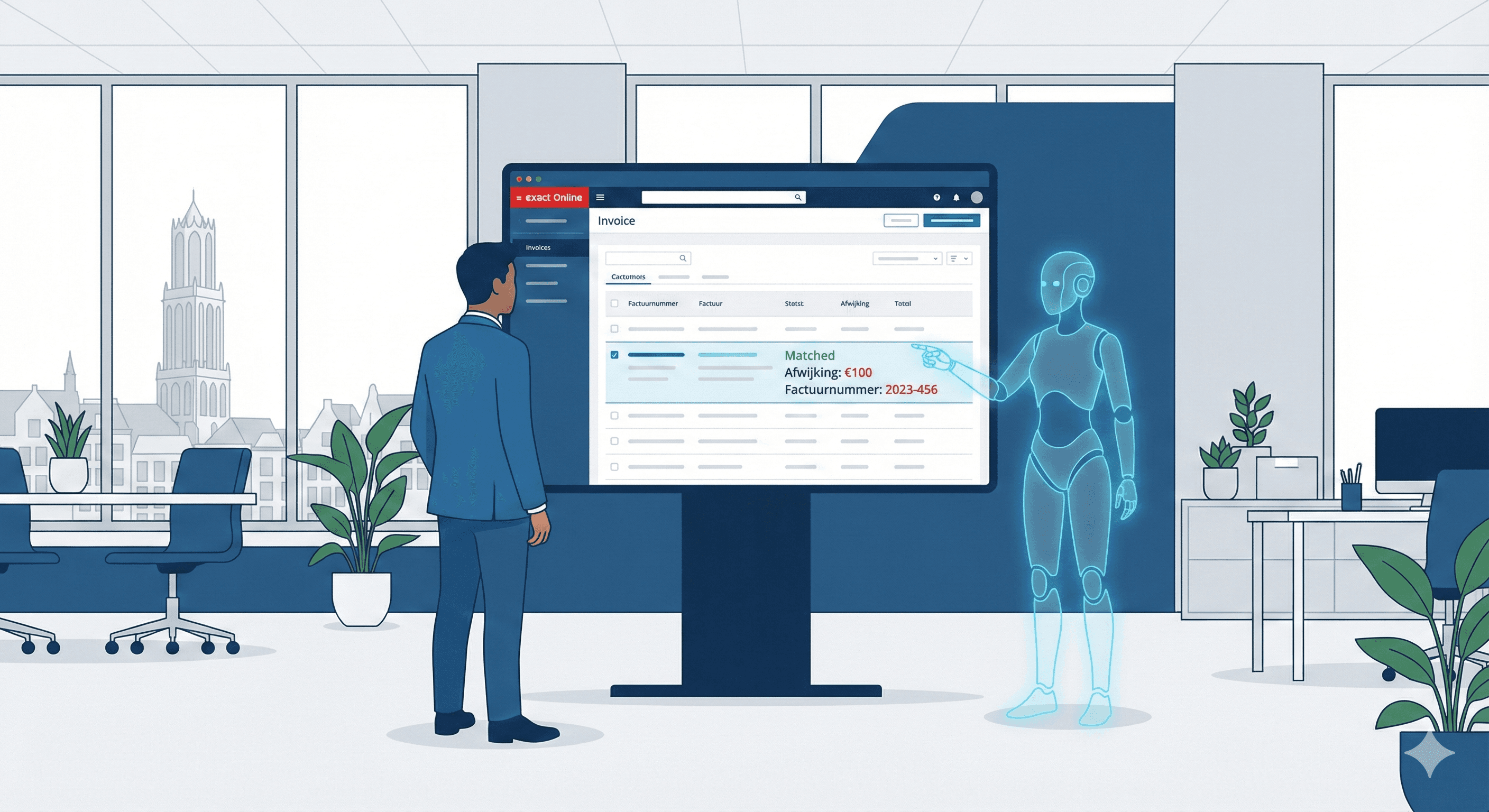
- Invoice processing: automatically reading invoice data (amount, IBAN, chamber of commerce number, VAT) and matching it to the right purchase order or ledger account in Exact or AFAS.
- Detecting risk clauses: AI scans new and existing contracts for unusual payment terms, liability limitations, or non-compete clauses that deviate from your standard.
- Quote comparison: automatically laying multiple supplier quotes side by side on price, delivery time and terms during procurement.
- HR document processing: making employment contracts and personnel files searchable, with flags for probation periods and contract renewal dates.
- Compliance check on new contracts: automatically checking whether a new contract meets internal guidelines (for example a standard 30-day payment term) before it's signed.
Expert tip: start with contract management, not invoices. Invoices are a well-known, heavily competed space with plenty of off-the-shelf tools. Flagging contract expiry dates is often the biggest, untapped time saver and prevents direct financial damage from unintended renewals.
GDPR and retention rules: what competing articles skip
This is a blind spot in most English-language and generic content about document AI, but crucial for companies operating in the Netherlands:
- Statutory retention period: Dutch tax authorities require businesses to keep core administrative records (including invoices and contracts) for at least 7 years. An AI document system must support this, not auto-expire or overwrite documents.
- GDPR for personal data in contracts: employment contracts and customer contracts often contain personal data. If you have an AI model (especially a third-party cloud API) process documents, you need to check whether a data processing agreement is required and whether data is processed within the EU.
- No automatic deletion without review: never build automation that deletes documents purely based on an AI assessment of "no longer relevant". Retention obligations and GDPR deletion rights can feel contradictory; let a human make the final call.
- Registration number and VAT checks: for invoice processing, it's smart to have the AI also automatically verify that the supplier's chamber of commerce and VAT numbers are correct, which prevents fraud and bookkeeping errors.
Approach: implementing step by step
- Map your document landscape. Where are contracts, invoices and quotes currently stored (folders, email, paper)? Without an overview, you can't automate anything.
- Pick one document flow as a starting point. Contract management or invoice processing, not both at once.
- Set up the connections. For invoices, this is often a connection with Exact Online or AFAS. See our guide on connecting Exact Online to AI for the technical side.
- Define classification rules. What contract types exist, and which fields must always be recognized (term, notice period, counterparty, amount)?
- Test on a representative sample. Have the AI process 50 to 100 existing documents and manually verify the output before going live.
- Build in an approval step. Especially for invoice processing: AI proposes a booking, a human approves it. Fully automatic booking without review is risky.
- Bake GDPR and retention requirements into the design, not as an afterthought.
Comparison: document processing vs. contract management
| Aspect | Invoice processing | Contract management |
|---|---|---|
| Setup complexity | Low to medium | Medium to high |
| Immediate time savings | High (daily recurring) | Medium (periodic) |
| Financial risk if wrong | Incorrect booking | Unintended contract renewal |
| Tool market maturity | High | Medium |
| GDPR sensitivity | Limited | Higher (personal data, terms) |
Costs: realistic estimate for SMEs
- One-time setup of a contract management system: 3,000 to 10,000 euros, depending on the number of contracts and variation in document types.
- One-time setup of an invoice processing connection: 1,500 to 6,000 euros for a connection with one accounting package.
- Monthly costs: 30 to 200 euros per month in AI processing costs, depending on document volume.
- Time savings: companies with hundreds of invoices per month often save multiple hours per week on manual retyping and checking, though this depends heavily on current volume and the quality of incoming documents.
An AI scan shows which part of your document flow offers the biggest win to automate first.
Integration with existing systems
An AI document system only works well if it connects to the tools you already use, rather than sitting as an isolated extra screen nobody checks.
- Accounting: connect invoice recognition directly to Exact Online or AFAS so recognized data is ready as a draft booking automatically, instead of staying stuck in a separate system.
- CRM: link contract data to client profiles in, for example, HubSpot, so an account manager can see at a glance when a client contract expires.
- Email and shared drives: have the system automatically pick up documents from a specific email address (for example invoices@) or a shared folder, instead of someone having to upload them manually.
- Notifications: connect alerts (expiring contract, deviating invoice) to Slack, Teams or email, so the right person sees the message in time without having to actively search for it.
The more isolated a document system remains from the daily workflow, the faster it falls into disuse. Integration is often more important for eventual success than the quality of the AI recognition itself.
When this doesn't pay off (yet)
- At low document volume. Fewer than 20 contracts and a handful of invoices per month rarely justifies an automated system. A simple spreadsheet with expiry dates works just as well.
- With extremely inconsistent documents. Handwritten notes, poorly scanned old contracts, or documents in many different languages need cleanup first before AI can handle them well.
- Without a clear owner. If nobody is responsible for acting on flags (such as an expiring contract), the system is pointless, no matter how good the AI is.
- For highly sensitive legal documents. For complex, high-risk legal contract analysis, a lawyer should still give the final judgment; AI supports the initial screening, not the definitive assessment.
Who does what: roles during implementation
A common mistake is letting an IT department or external party handle the entire project alone, without involving the people who work with contracts and invoices daily. That results in a technically working system nobody actually uses.
- Process owner (for example the head of finance or an office manager) decides which document flow to tackle first and which fields genuinely matter.
- Implementation partner builds the connections, trains the model on your document types, and sets up the approval step.
- End users (the people currently booking invoices or tracking contracts manually) actively test during the first weeks and report deviations.
- Management sets the boundaries around GDPR, retention rules, and which decisions may and may not be made automatically.
This division of roles prevents the project from getting stuck in a test environment that never actually goes live.
Frequently asked questions
Is it safe to let AI process contracts containing personal data?
It can be, provided you have a data processing agreement with the AI vendor and know where the data is processed, preferably within the EU. Always verify this before deploying a tool.
Does AI document processing replace the bookkeeper or lawyer?
No. AI speeds up recognizing and structuring information, but the final booking, legal interpretation and decision remain with a specialist.
Does this also work with handwritten or poorly scanned documents?
Less well. AI document processing works best with digital or well-scanned documents; poor scans or handwriting significantly increase the error risk.
What about the statutory 7-year retention requirement?
A well-designed AI document system must retain documents according to the statutory retention period and should never auto-delete without a human check on that rule.
Can I start with just contract management and add invoice processing later?
Yes, that's actually the recommended order: get one document flow properly in order first, then expand.
Next step
Document processing and contract management are two of the most tangible AI applications for SMEs: the work is repetitive, mistakes are costly, and time savings are immediately noticeable once the system runs. Want to know where in your document flow the biggest win is hiding? Take the AI scan or reach out via contact for a no-obligation introduction. Also read more about AI agents for broader process automation, how AI consultancy guides an implementation, and consider an AI advisor who helps think through priorities and risks.
Frequently asked questions
Short, clear answers so you can decide faster.
Is it safe to let AI process contracts containing personal data?
It can be, provided you have a data processing agreement with the AI vendor and know where the data is processed, preferably within the EU.
Does AI document processing replace the bookkeeper or lawyer?
No. AI speeds up recognizing and structuring information, but the final booking, legal interpretation and decision remain with a specialist.
Does this work with handwritten or poorly scanned documents?
Less well. AI document processing works best with digital or well-scanned documents; poor scans or handwriting increase the error risk.
What about the statutory 7-year retention requirement?
A well-designed system must retain documents according to the statutory retention period and should never auto-delete without human review.
Can I start with just contract management and add invoices later?
Yes, that's the recommended order: get one document flow properly in order first, then expand.