AI Agents for Exact Online: Automate Invoice Checking
 Erwin Berkouwer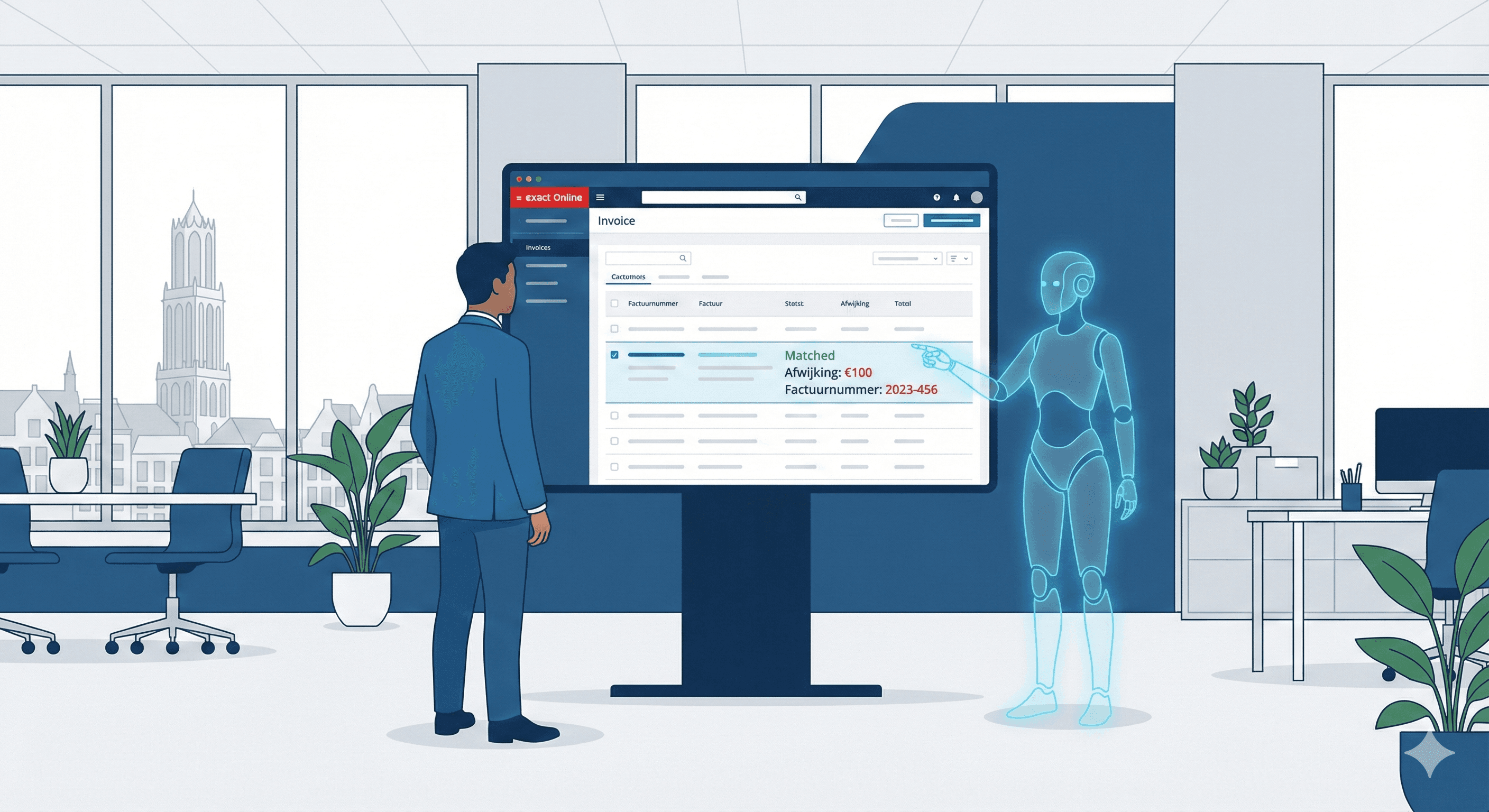
An AI agent checks invoices in Exact Online by reading them automatically, matching them to the purchase order and the receipt, and putting only the deviations in front of an employee. Whatever matches is ready for booking. The work shifts from going through every invoice to reviewing only the exceptions.
In an average SME's accounts, every incoming invoice you check by hand quickly takes a quarter of an hour: open it, go through the lines, check the VAT, match it to the order, approve it, book it. At 200 invoices a month, that's roughly 50 to 65 hours on work that is almost entirely rule-based. Below you'll read how an agent does this on top of Exact Online, where the reliability comes from and when it's not (yet) worth the effort.
What does manual invoice checking really cost you?
The hours are the visible part. The more expensive costs stay hidden until they show up in your margin: missed early-payment discounts, invoices paid twice and cash flow damage because payments go out too late or come in too late. Studies of payment behaviour in Europe have shown for years that many SMEs are structurally paid late. The amounts differ by sector and year, but slow, manual processing costs money that doesn't show up directly in your ledger.
A simple calculation for your situation: invoices per month x minutes per invoice x your hourly cost. At 200 invoices of 17 minutes on average, you get to about 57 hours a month, before you've counted a single double payment or missed discount. An AI scan helps you run this for your own invoice flow.
How does an invoice-checking agent work in Exact Online?
An AI agent isn't an app you install in Exact. It's a workflow that runs on top of the Exact Online integration through the API and goes through a fixed series of steps, with a person as the fallback when in doubt.
- Fetch: the agent picks up new invoices through the Exact Online API, or via a connected mailbox or supplier portal.
- Read: OCR and document AI extract supplier, lines, quantities, amounts and VAT, even from unstructured PDFs and scans.
- Match: the invoice is compared line by line with the purchase order and the receipt or work order (the three-way match).
- Assess: deviations above a tolerance you set, such as a price difference or a missing order number, are flagged.
- Prepare: whatever falls within the margins is ready for booking. Only exceptions go to finance.
- Log: every decision gets a timestamp in the audit trail.
| Manual | With an invoice-checking agent | |
|---|---|---|
| Standard invoice (matches the purchase order) | Every invoice goes through a person | Ready for booking straight away |
| Invoice with a small deviation | Checked in full | A person looks only at the deviation |
| Share a person sees | Everything | Only the exceptions |
| Audit trail | Has to be put together by hand | Automatic, per step |
What is three-way matching?
The core of reliable automatic checking is the three-way match: the invoice, the purchase order and the goods receipt (or approved work order) have to agree with each other. Only when quantities, prices and VAT fall within your tolerance does the agent release the invoice for booking.
You set that tolerance yourself, and that's where the trust comes from. A small price difference from a known supplier can go straight through. A new bank account number, a duplicate invoice number or an amount above the purchase order always goes to a person. That way you keep speed on the boring work and a hard brake on the cases where errors and fraud hide. You can read more about this logic in broader financial processes on the page about automating invoices and administration.
An example: a wholesaler with 250 invoices a month
Take a wholesaler that processes around 250 purchase invoices a month from dozens of suppliers with changing price lists. By hand, that costs the team many hours a month, and now and then a duplicate or overpriced invoice slips through.
With an invoice-checking agent that changes (hypothetical example, not a client result; your outcome depends on supplier mix and data quality):
- Handled automatically: most invoices match the purchase order and receipt within tolerance and go straight to booking.
- Sent to a person: a smaller share, such as new suppliers, price deviations and missing purchase orders.
- The team's time: mostly spent on those exceptions.
The same building blocks (fetch data, apply rules, escalate only exceptions) also work for other administrative processes, such as payment reminders or email handling.
Which tools do you need?
You don't build this from scratch. The agent combines a few proven building blocks:
- Accounting: Exact Online with API access as source and target system.
- Document AI or OCR: for example Klippa, Rossum or Google Document AI to read PDFs and scans.
- Orchestration: tools like n8n or Make to tie the steps together, or an agent platform such as AgentWorks.
- Rules and approval: your own tolerance and authorisation rules, plus a place where a person handles exceptions.
Which combination fits depends on your supplier mix, your volume and whether you run several administrations. If you want help choosing and setting it up, AI consultancy can do that.
What does it cost and when does it pay back?
The costs consist of a one-off set-up and running costs for hosting, monitoring and maintaining the integration. That last one matters, because suppliers change formats and Exact rolls out updates. Set the savings (processing time plus avoided double payments) against those costs and you have an honest business case. The amount depends on the number of suppliers, the number of administrations and your invoice volume; ask for a tailored quote.
When is this not the right step yet?
Automating for the sake of automating makes no sense. It pays off mainly if you process a lot of invoices a month, finance spends a good part of the week on them and you have purchase orders or contracts that can serve as a reference point.
If you only get a few invoices a month from one regular supplier at always the same price, the set-up and maintenance don't outweigh the gain. A simple checklist is enough then. Not sure? First look at which processes lend themselves to AI agents.
Why does e-invoicing matter here?
E-invoicing is gaining ground in the EU. Under the ViDA package (VAT in the Digital Age), digital reporting and structured invoices become the norm, and several countries already have B2B obligations. For the Netherlands, a broad domestic B2B obligation isn't certain yet, but the direction is clear: machine-readable invoices are becoming standard. That's the format an invoice-checking agent works best with. You can read more about what waiting costs in Exact Online and AI automation.
How do you get started?
Want to know how many hours and euros you could save? Run an AI scan or book an intro call. Invoice checking is often a good first process to automate, but rarely the last.
Sources
Frequently asked questions
Short, clear answers so you can decide faster.
What exactly does an AI agent do in invoice checking?
The agent fetches invoices from Exact Online, reads them with OCR, compares them line by line with the purchase order and the receipt (three-way match) and tests them against your tolerance rules. Whatever falls within the margins is ready for booking; deviations go to an employee.
What if a supplier sends an unreadable or messy PDF?
Modern document AI also reads unstructured PDFs and scanned invoices. Invoices the agent can't read with enough certainty are set aside for manual processing instead of being booked wrongly.
Do I need an IT department or custom software?
No. The integration runs through the existing Exact Online API. You need an Exact Online account with API access and someone to agree the tolerance rules and the approval process with you.
What happens if the agent is unsure or makes a mistake?
When in doubt, the agent doesn't book: the invoice goes to an employee. Every step is logged in an audit trail, so you can always see why an invoice was approved or flagged.
Is my financial data safe and GDPR-proof?
The agent works with role-based API access and minimal permissions, and all actions are logged. Settle up front which processors you use and where data is processed, so the set-up fits your GDPR (AVG) obligations.