Build AI Workflows with Zapier, Make and n8n (No Coding Required)
 Erwin Berkouwer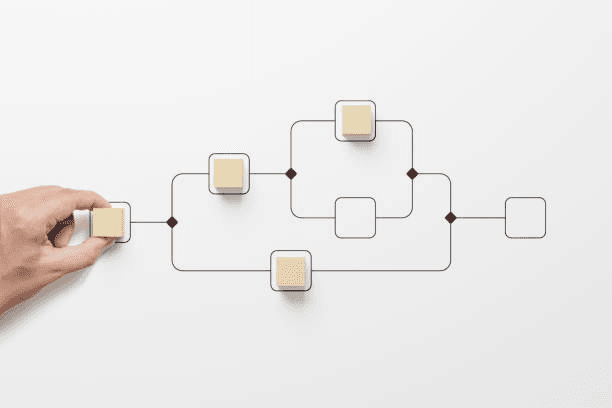
You don't need to be a developer to build AI workflows. With Zapier, Make, and n8n, automate business processes in an afternoon.
Every day your company loses hours to manual work. Email-to-CRM, invoice-to-accounting, complaint-to-ticket — processes your competitors have already automated. With [Zapier](/integraties/zapier), [Make](/integraties/make) or [n8n](/integraties/n8n) you build AI-driven workflows in an afternoon, without writing a single line of code.
What Is an AI Workflow?
A workflow is a sequence of steps that automatically execute when a trigger occurs.
Example without AI:
Example with AI:
That second example sounds complex. But with the right tool, you build it in 2-3 hours. Visually, by dragging blocks.
The Three Tools Compared
| Criterion | Zapier | Make | n8n |
|---|---|---|---|
| Ease of Use | ⭐⭐⭐⭐⭐ | ⭐⭐⭐⭐ | ⭐⭐⭐ |
| Integrations | 8,000+ | 1,800+ | 400+ (+ custom) |
| AI Features | ChatGPT, Claude | OpenAI, HuggingFace | All (via API) |
| Price (basic) | €19/month | €9/month | Free (self-hosted) |
| Price (team) | €69/month | €16/month | €24/month (cloud) |
| Self-hosting | No | No | Yes |
| Data Privacy | Cloud (US/EU) | Cloud (EU) | Self-hosted possible |
| Complex Logic | Limited | Good | Excellent |
| Best For | Quick start | Growth | Privacy + control |
Expert Tip: Start with Zapier if you've never automated before. Switch to Make as Zapier gets too expensive. Choose n8n if data privacy is crucial (financial, legal, healthcare).
5 AI Workflows You Can Build Today
Workflow 1: Smart Email Triage (30 min setup)
Trigger: New email in business inbox
AI Step: ChatGPT classifies the email (invoice, complaint, question, spam, internal)
Actions per category:
- Invoice → Folder "Invoices" + notification to accountant
- Complaint → Ticket in helpdesk + urgency label
- Question → Generate draft answer → Review queue
- Spam → Archive
Impact: 1 hour/day saved on inbox management.
Workflow 2: Invoice to Exact Online (1 hour setup)
Trigger: PDF attachment in email or shared folder
AI Step: OCR reads invoice data + ChatGPT classifies ledger account
Actions:
- Extract vendor, amount, VAT
- Match against existing vendor in Exact Online
- Create draft booking
- Notification to accountant for approval
Impact: From 5 min to 30 sec per invoice. With 200 invoices/month: 15 hours saved.
Workflow 3: LinkedIn Lead to CRM (45 min setup)
Trigger: New connection request accepted on LinkedIn
AI Step: ChatGPT analyzes the LinkedIn profile and qualifies the lead
Actions:
- Create contact in HubSpot/Pipedrive
- Assign lead score based on profile
- Generate personalized welcome message
- Notify sales employee on high score
Impact: Every LinkedIn connection is automatically qualified.
Workflow 4: Customer Satisfaction After Purchase (30 min setup)
Trigger: Order delivered (from your webshop/ERP)
AI Step: Wait 3 days → Send personalized feedback email
Actions:
- Positive feedback → Ask for Google Review
- Negative feedback → Create ticket + escalate to manager
- ChatGPT analyzes feedback text for themes
Impact: +30% more reviews. Problems discovered before escalating.
Workflow 5: Meeting Notes to Action Items (1 hour setup)
Trigger: Meeting ends in Teams/Zoom
AI Step: Transcribe audio → ChatGPT creates summary + action items
Actions:
- Save notes to shared folder
- Create action items as tasks in Asana/Monday
- Schedule reminders per responsible person
Impact: No manual note-taking. 100% action item follow-up.
Step-by-Step: Your First AI Workflow
Step 1: Choose Your Process (10 min)
Which process is most repetitive? Most time-consuming? Most error-prone? Start there.
Good first candidates:
- Email sorting
- Data entry from documents
- Standard answers to customer questions
- Status updates and reporting
Step 2: Draw the Flow (15 min)
On paper or in a tool like Miro:
- What's the trigger? (email, form, time, event)
- What AI step is needed? (classify, summarize, generate)
- What should happen with the result?
Step 3: Build in the Tool (30-60 min)
- Create an account at Zapier, Make, or n8n
- Choose your trigger (e.g., "New email in Gmail")
- Add an AI step (e.g., "ChatGPT: classify this email")
- Add actions per result
- Test with real data
Step 4: Monitor and Improve (ongoing)
Check daily the first week:
- Are all triggers being picked up?
- Is the AI classifying correctly?
- Are there edge cases that don't work?
Adjust prompts and rules based on what you see.
The Pitfalls
1. Start Too Complex. Begin with a workflow of 3-4 steps, not 15. Expand once it works.
2. No Error Handling. What if the email has no attachment? What if the API is down? Always build an "otherwise" path.
3. Lose Track of Costs. Zapier charges per task. At high volume (1,000+ tasks/month), Make or n8n is much cheaper.
4. Trust AI Output Blindly. AI makes mistakes. Always build a human review step for critical processes (payments, customer communication, legal).
Conclusion
AI workflow automation is the fastest way to boost productivity. Not an IT project taking months, but a workflow built in hours.
Start today with your first workflow. Pick your most repetitive process, open Zapier/Make/n8n, and build. The 30 minutes you invest, you'll earn back tomorrow.
Want help determining which processes to automate first? Check out our AI agent integrations, read real case studies from SMBs, or start a free AI scan.